Bandwidth vs Speed: What’s the Difference (2026)
April 4, 2026
What Is Fiber Internet 2026: Complete Guide
April 4, 2026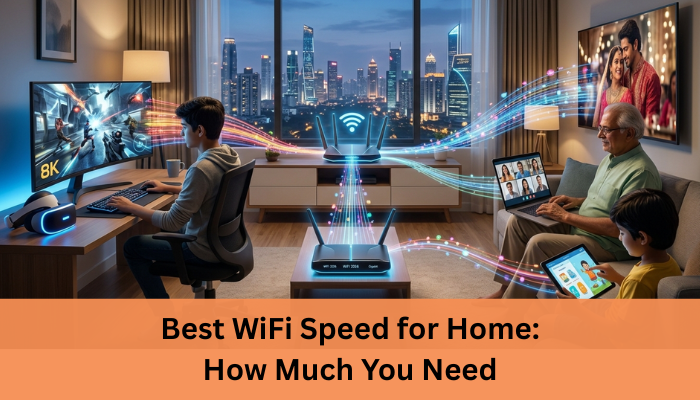
Best WiFi Speed for Home 2026: How Much You Need
Slow loading pages, buffering videos, and dropped video calls, it’s frustrating, especially when you’re paying for “high-speed internet.”
The real issue often comes down to choosing the Best WiFi Speed for Home, not just the highest plan available.
In simple terms, most homes work best with 100 to 300 Mbps, but the right speed depends on how many people are using the internet and what they’re doing.
This confusion is more common than you’d think. Reports show that a large number of households either overpay for speeds they don’t use or choose plans that can’t handle their daily needs.
That’s why understanding the right WiFi speed matters, it directly affects your streaming, gaming, and work-from-home experience.
I’ve dealt with this myself. I once upgraded to a higher plan expecting everything to improve, but nothing changed. The issue wasn’t just speed, it was choosing the wrong plan for my actual usage.
If you want a smooth, reliable internet without wasting money, let’s break down exactly what speed your home really needs.
What is WiFi Speed?
WiFi speed simply means how fast your internet works on your devices, like your phone, laptop, or smart TV.
It’s usually measured in Mbps (Megabits per second). The higher the Mbps, the more data your connection can handle quickly.
To keep it simple:
- 10–30 Mbps works for basic browsing and emails
- 50–100 Mbps is good for streaming and small families
- 100+ Mbps gives smoother performance with multiple devices
But WiFi speed isn’t just about numbers, it’s about how fast things actually load and respond in real life.
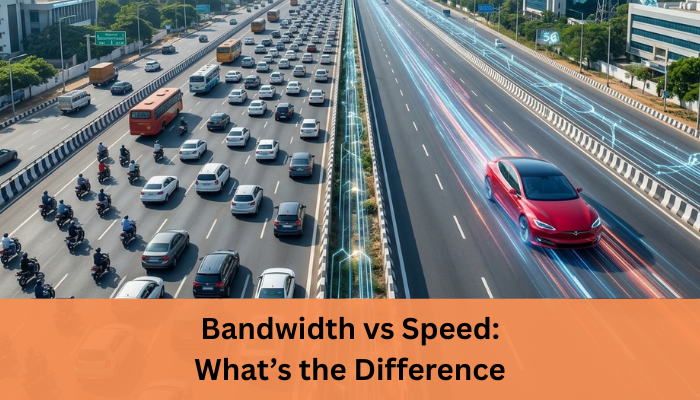
To understand performance better, you should also read Bandwidth vs Speed and how both affect your internet experience.
Difference between WiFi speed and internet plan speed
Many people think the speed they buy is the speed they always get, but that’s not how it works.
- Internet plan speed is what your provider promises (for example, 200 Mbps)
- WiFi speed is what you actually experience on your device
Why the difference?
- Distance from your router
- Walls or obstacles blocking the signal
- Too many connected devices
- Router quality or age
So even if you have a high-speed plan, your actual WiFi speed can be lower depending on these factors.
What is a Good WiFi Speed for Home?
Choosing a good WiFi speed for home isn’t about picking the highest number, it’s about matching your daily usage. A plan that works perfectly for one home might feel slow in another.
General recommendation
For most households, these ranges work well:
- 20–50 Mbps
Good for basic use like browsing, emails, and social media - 100–200 Mbps
Ideal for small families with streaming, video calls, and multiple devices - 200–400 Mbps
Great for gaming, 4K streaming, and busy households - 400+ Mbps
Best for heavy usage, home offices, and many connected devices
A safe choice for most homes today is 100–300 Mbps, as it balances performance and cost.
Minimum vs ideal speed
It’s important to understand the difference between just enough and truly comfortable internet.
- Minimum speed
- Handles basic tasks
- May slow down with multiple users
- Can cause buffering or lag during peak times
- Ideal speed
- Supports multiple devices smoothly
- No buffering during streaming
- Stable video calls and fast downloads
Think of it this way, minimum speed works, but ideal speed feels smooth and stress-free.
If your home has more users or heavier usage, it’s always better to go slightly higher than your minimum requirement.
Choosing the Best WiFi Speed for Home depends on your daily internet usage and number of devices.
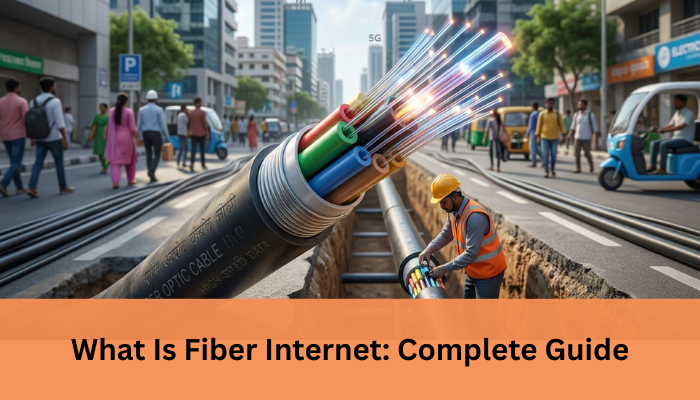
If you’re considering faster connections, learning What Is Fiber Internet can help you choose better plans.
Best WiFi Speed Based on Usage
The best WiFi speed for home really depends on what you do online. Different activities need different levels of speed and stability.
Basic browsing and social media
If your usage is light, you don’t need a very high-speed plan.
- Activities include email, WhatsApp, scrolling social media, and light browsing
- 20–50 Mbps is usually enough
- Works well for 1–2 users
- May slow down if multiple devices are active at once
Streaming (HD and 4K)
Streaming needs more consistent speed, especially for higher quality.
- Platforms like Netflix and YouTube require stable connections
- HD streaming works well with 50–100 Mbps
- 4K streaming needs around 100–200 Mbps
- Buffering happens if speed drops or bandwidth is shared too much
Online gaming
Gaming is not just about high speed, it’s about responsiveness.
- Low latency (ping) is more important than high Mbps
- 50–100 Mbps is enough for most games
- Higher speeds help with downloading large game files faster
- Multiple users can cause lag if bandwidth is limited
Work from home
Remote work needs a stable and reliable connection.
- Video calls (Zoom, Google Meet) need consistent speed
- File uploads and downloads require good performance
- 100–200 Mbps works well for most setups
- More users or devices may require higher speeds
In short, match your WiFi speed to your daily activities to avoid overpaying or facing slowdowns.
Best WiFi Speed Based on Number of Users
The number of people using your internet plays a big role in deciding the right WiFi speed. Even a fast plan can feel slow if too many devices are connected at the same time.
1–2 users
For small households or individuals:
- Basic browsing, streaming, and occasional video calls
- Usually 2–4 devices connected at a time
- 50–100 Mbps is enough for smooth performance
- Minimal chances of slowdown if usage is moderate
3–5 users
For medium-sized families:
- Multiple devices like phones, laptops, and smart TVs running together
- Activities include streaming, gaming, and video calls
- 100–300 Mbps is a safer range
- Helps avoid buffering and lag during peak usage
Large families (5+ users)
For bigger households with heavy usage:
- Many devices connected at the same time
- Simultaneous activities like 4K streaming, gaming, and work calls
- 300–500 Mbps or higher is recommended
- Ensures stable performance without interruptions
How shared bandwidth affects performance
Bandwidth is shared across all connected devices, which directly impacts your experience:
- More users = more data being used at the same time
- High-demand activities can slow down others on the network
- Insufficient bandwidth leads to buffering, lag, and slow downloads
- A higher plan helps distribute load evenly across devices
In simple terms, as the number of users increases, your WiFi speed needs to scale up to maintain smooth performance.
Recommended Speed Chart (Quick Guide)
If you just want a quick answer without overthinking, this simple chart can help you pick the right WiFi speed for your home. It’s based on common usage patterns and works for most households. The Best WiFi Speed for Home ensures smooth streaming, gaming, and video calls without interruptions.
Usage Type | Recommended Speed |
Basic use | 20–50 Mbps |
Streaming + small family | 100–200 Mbps |
Gaming + multiple users | 200–400 Mbps |
Heavy usage/home office | 400+ Mbps |
Here’s how to read this:
- Basic use (20–50 Mbps)
Good for browsing, emails, and social media. Works best for 1–2 users. - Streaming + small family (100–200 Mbps)
Ideal for HD streaming, video calls, and a few devices running together. - Gaming + multiple users (200–400 Mbps)
Helps reduce lag and supports multiple activities at once. - Heavy usage/home office (400+ Mbps)
Best for large families, 4K streaming, and work-from-home setups.
This chart gives you a safe starting point, but always consider your number of users and daily activities before choosing a plan.
Factors That Affect Your WiFi Speed
Even with a high-speed plan, your actual WiFi performance can vary. Several everyday factors influence how fast and stable your connection feels.
Router quality and placement
Your router plays a major role in your WiFi experience.
- Older routers may not support higher speeds
- Placing the router in a corner or behind walls weakens the signal
- Keep it in a central, open area for better coverage
- Upgrading to a modern router can improve performance instantly
Number of connected devices
Every connected device shares your bandwidth.
- Phones, laptops, TVs, and smart devices all use data
- More devices = more load on your network
- Heavy usage on one device can slow down others
- Disconnect unused devices to free up bandwidth
Network congestion
Internet speed can drop during peak hours.
- Happens when many users are online at the same time
- Common in evenings or weekends
- Can cause slow speeds even with a good plan
- Local ISP network quality also matters here
WiFi vs wired connection
The type of connection affects performance.
- WiFi is convenient but can lose speed due to distance or interference
- Wired (Ethernet) connections are faster and more stable
- Best option for gaming, work, or important tasks
In short, your WiFi speed depends not just on your plan, but how your network is set up and used.
How to Choose the Right WiFi Plan
Picking the right WiFi plan doesn’t have to be confusing. Instead of going for the highest speed, focus on what your home actually needs.
Step-by-step checklist
Follow this simple approach to make a smart choice:
- Identify usage
Start with how you use the internet daily.- Light use: browsing, social media
- Moderate use: streaming, video calls
- Heavy use: gaming, 4K streaming, work from home
- Count devices
Think beyond just people.- Include phones, laptops, TVs, and smart devices
- More devices mean more bandwidth is required
- Choose speed range
Match your usage and devices with a suitable speed.- 50–100 Mbps for basic use
- 100–300 Mbps for families
- 300+ Mbps for heavy usage
- Consider future needs
Your usage may grow over time.- New devices or smart home setups add load
- It’s better to choose a plan slightly above your current needs
A simple rule: don’t just buy speed, choose a plan that fits your lifestyle. This way, you avoid both slow performance and unnecessary costs.
You can explore our Internet Plans in Pune to find a speed that fits your home usage.
Common Mistakes to Avoid
Choosing a WiFi plan seems simple, but small mistakes can lead to slow performance or wasted money. Here are some common ones to watch out for.
Buying more speed than needed
Many people assume higher speed always means better internet.
- Plans with very high Mbps often cost more
- If your usage is basic, you may never use that extra speed
- For example, a single user browsing and streaming doesn’t need 500+ Mbps
- It’s better to match speed with actual usage instead of overpaying
Many users overpay because they don’t understand the Best WiFi Speed for Home they actually need.
Ignoring router quality
Your router is just as important as your internet plan.
- An outdated router may not support higher speeds
- Poor placement can weaken your WiFi signal
- Walls, furniture, and distance can reduce performance
- Even with a fast plan, a weak router can make your internet feel slow
A good router, placed correctly, can make a noticeable difference.
Not checking actual usage
Many users choose plans without understanding their daily needs.
- Not all activities require high speed
- Light browsing and social media need less bandwidth
- Streaming, gaming, and work calls need more stability
- Ignoring usage can lead to either slow performance or unnecessary costs
In simple terms, avoid guessing. Take a few minutes to understand your needs, and you’ll end up with a WiFi plan that works smoothly without overspending.
Final Thoughts
When choosing the best WiFi speed for home, the key is simple, focus on how you actually use the internet, not just the Mbps number.
A higher plan doesn’t always mean better performance if it doesn’t match your daily needs.
The goal is to find the right balance between cost and performance so you get smooth browsing, streaming, and work without overpaying.
That’s exactly where Internet Express comes in, best internet provider in pune.
We understand that every home is different, and that’s why we don’t believe in one-size-fits-all plans.
Whether you’re a small family, a heavy streamer, or working from home, we help you choose a plan that fits your usage perfectly.
With reliable fiber connectivity, consistent speeds, and responsive local support, you get an internet experience you can actually depend on.
If you’re tired of slow WiFi or paying for speeds you don’t use, it’s time to make a smarter choice.
Contact Internet Express today and get the right WiFi plan for your home, without the guesswork.
FAQs – Best WiFi Speed for Home
What is the best WiFi speed for home use?
Is 100 Mbps enough for a family?
Do I need 1 Gbps internet at home?
Why is my WiFi slow even with high speed?
Does WiFi speed affect video calls?

Related posts