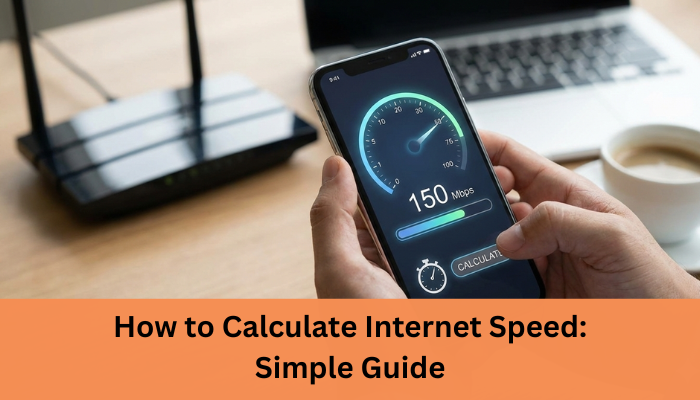


Ever wondered why your video call freezes or your downloads crawl even though you’re “supposed” to have fast internet? The truth is, most people don’t actually know how to calculate internet speed, which makes it hard to understand what they’re really paying for. And you’re not alone over 70% of users globally run speed tests every month because their internet “doesn’t feel as fast as promised.”
The problem? Internet plans use technical terms like Mbps, bandwidth, latency, and throughput leaving most users confused. When you can’t interpret these numbers, you can’t figure out whether your connection is slow… or if your provider just isn’t delivering what they advertised.
I’ve been there too. I remember running speed tests and thinking my results were “fine,” only to realise later that my upload speed was the reason my Zoom calls kept breaking. Once I understood how to properly calculate my internet speed, everything made sense and fixing the issue became easy.
In this guide, you’ll learn exactly how to calculate internet speed in simple, practical terms so you know whether you’re getting the speed you pay for, how much you really need, and how to test it accurately.
Let’s break it down step-by-step and if you’re ready, let’s start with the basics.
In 2026, almost everything we do work, entertainment, learning, shopping, even home security relies on a stable internet connection. That’s why knowing your internet speed isn’t just “nice to have” anymore; it’s essential. With more people working from home, streaming in 4K, using cloud apps, and connecting multiple smart devices, your internet is under more pressure than ever. If you don’t understand your actual speed, you won’t know whether your connection can handle your daily needs or if it’s time for an upgrade.
Many users search for how to calculate internet speed because they want to understand whether their connection matches what their ISP promised.
Internet providers often advertise high speeds, but the real numbers you get at home can be very different due to factors like network congestion, WiFi quality, or outdated equipment. By knowing your internet speed, you can easily spot what’s slowing you down whether it’s your plan, your router, or your devices.
Plus, with new technologies like fiber internet and WiFi 6 becoming more common in 2026, understanding your speed helps you make smarter decisions about which plans and devices are truly worth the investment.
In short, when you know your internet speed, you gain control. You can troubleshoot faster, choose better plans, and ensure your online experience is smooth and frustration-free.
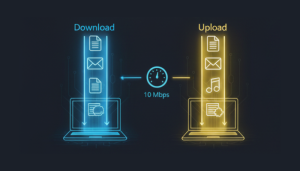
Internet speed is simply the rate at which data travels between your device and the internet. Think of it as how quickly information moves in and out of your connection. But to really understand it, you need to break it down into four key parts: download speed, upload speed, latency, and bandwidth. Each one affects your online experience in a different way.
Download speed measures how fast you receive data like streaming movies, loading websites, scrolling Instagram, or downloading files. Most users rely heavily on download speed, which is why internet plans highlight it the most. The higher it is, the smoother your everyday browsing and streaming will feel.
Upload speed is how fast you send data to the internet. This matters when you upload files, send emails with attachments, back up photos to the cloud, or join video calls. If your uploads are slow, your video may lag or freeze especially during online meetings.
Latency, or ping, measures how long it takes for data to travel from your device to a server and back. Lower latency means faster response. Gamers, video call users, and traders rely heavily on this. High latency = laggy, delayed, frustrating experiences.
Bandwidth is the capacity of your internet connection like how wide a pipe is while speed is how fast data flows through it. Higher bandwidth doesn’t always mean higher speed, but it does allow more devices to work smoothly at the same time.
Understanding these terms helps you accurately evaluate your internet performance and choose the right plan.
Once you know how to calculate internet speed, it becomes easier to troubleshoot slow downloads, buffering, and lag.
Understanding how internet speed is measured helps you make sense of all those numbers your ISP advertises. It also helps you figure out whether your connection is performing the way it should. Let’s break it down into the three measurements that matter most: Mbps vs Gbps, throughput vs theoretical speed, and peak vs average speed.
Internet speed is usually measured in Mbps (Megabits per second). This tells you how much data your connection can move every second. For everyday use like browsing, streaming, and gaming Mbps is the most common unit.
But newer, faster fiber connections often use Gbps (Gigabits per second). One Gbps equals 1,000 Mbps, which means much faster downloads, smoother 4K/8K streaming, and support for many devices at once. If your home or office has heavy usage, Gbps plans can make a huge difference.
Check out our Commercial Plans from internet Express.
Your ISP advertises theoretical speed the maximum your connection could reach under ideal conditions. But in real life, you get throughput, which is the actual speed you experience. Throughput is often lower because of WiFi interference, old routers, or multiple devices sharing bandwidth. This is why speed tests rarely match your plan’s advertised numbers.
Peak speed is the highest speed you might see during perfect moments.
Average speed is what you consistently get throughout daily usage.
While peak speeds look impressive, average speed is what truly matters for streaming, gaming, video calls, and work-from-home tasks. A stable average speed always beats occasional high peaks.
Understanding these measurements helps you judge your connection more accurately and know when it’s time for an upgrade.
There are a few simple ways to calculate your internet speed, depending on whether you want a quick answer or a deeper understanding. Here’s how to do it easily and accurately.
The fastest and most reliable way to calculate your internet speed is by using an online speed test. Tools like Ookla, Fast.com, or Google Speed Test measure your download speed, upload speed, and ping in real time. Just click “Start,” and within seconds, you’ll know exactly how your connection is performing. Make sure only one device is using the internet to get the most accurate results.
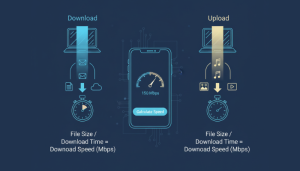
If you want a more hands-on approach, you can calculate speed using this formula:
Speed (Mbps) = (File size in Megabits) ÷ (Time in seconds)
Remember: 1 Megabyte (MB) = 8 Megabits (Mb).
So, if a 10 MB file downloads in 4 seconds → speed = (10×8) ÷ 4 = 20 Mbps.
This method is great when downloading large files. Just check the download size and the time it takes. For example, a 1 GB file (1,000 MB = 8,000 Mb) downloaded in 200 seconds gives you 40 Mbps. It’s a practical way to see your real-world speed.
To know how much speed you actually need:
Calculating your needs helps you choose the right plan without overpaying.
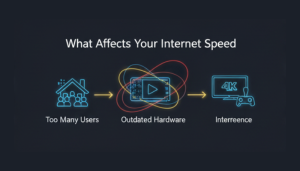
Understanding what affects your internet speed can save you a lot of frustration and sometimes even money. Even with a fast plan, several factors can slow things down. Here’s a friendly breakdown of what really impacts your connection.
Your router is the heart of your home network. An outdated or low-quality router can bottleneck even the fastest internet plan. Placement matters too keeping it in an open, central spot (not behind furniture) ensures better coverage and speed.
The 2.4 GHz band offers wider coverage but slower speeds, while 5 GHz provides faster performance but over a shorter range. For streaming or gaming, use 5 GHz when possible. For long-distance connectivity in your home, 2.4 GHz works better.
Just like traffic jams, too many users or devices sharing the same network slows everything down. Peak evening hours or households with many connected devices often experience this issue.
Older phones, laptops, or smart TVs may not support higher speeds. Your internet is only as fast as the slowest device you use.
Fiber connections typically deliver faster and more consistent speeds than copper cables. If your area offers fiber, it’s usually worth the upgrade.
The farther you are from your router, the weaker the signal becomes. Walls, floors, and appliances can also interfere with WiFi strength.
If you understand these factors, you can identify what’s slowing you down and optimize your setup for smoother browsing.
Learn about how to fix your wifi issues and get smooth internet connection.
Choosing the right internet speed can feel confusing, but it doesn’t have to be. The truth is, your ideal speed depends entirely on how you use the internet. Here’s a simple, friendly guide to help you pick what actually fits your lifestyle without overpaying.
Learning how to calculate internet speed helps you decide if your current plan is enough for streaming, gaming, or working from home. Check out our Residential plans from internet express.
If you mostly check emails, scroll Instagram, or browse websites, you don’t need a super-fast plan. Speeds between 10–25 Mbps are usually enough for smooth, everyday use on a single device.
Video calls, cloud files, and collaboration apps require more power. For stable performance, aim for at least 50–100 Mbps. If multiple people are working from home, consider 150 Mbps or higher to avoid lag.
Streaming platforms are hungry for bandwidth.
Online gaming doesn’t need extreme download speeds but does require low latency. Most gamers are comfortable with 25–50 Mbps, but if you download large game files often, aim for 100 Mbps or higher.
Smart TVs, cameras, speakers, and appliances all share bandwidth. A household with 5–10 connected devices should consider 200–300 Mbps. Larger smart homes may need 500 Mbps to 1 Gbps for seamless connectivity.
With the right speed, your internet feels effortless no buffering, no freezing, just smooth performance.
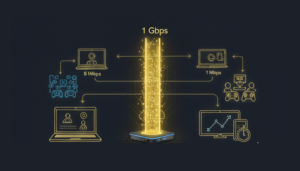
Before you can improve your connection, you need to know where you stand and that’s where speed-testing tools come in. These tools give you quick, real-time insights into your download speed, upload speed, and latency so you can see whether your internet is performing as promised. Here’s a simple breakdown to help you get accurate results every time.
There are a handful of trustworthy tools that people rely on worldwide.
Ookla Speedtest is the most popular it’s fast, easy, and available on web and mobile. Fast.com (by Netflix) is great for checking streaming-related speeds with just one click. Google’s Internet Speed Test is another reliable option you can run directly from the search page. For more technical users, Cloudflare’s Speed Test gives deeper details like jitter and routing paths. Using any of these tools will give you a clear snapshot of your connection within seconds.
To get the most accurate speed results, test your internet the right way. Start by connecting your device directly to the router using a LAN cable this removes WiFi interference. If you must test on WiFi, stay close to the router. Pause downloads, streaming, or gaming on all devices to avoid skewed results. Run the test multiple times at different hours of the day to detect network congestion. Finally, restart your router before testing if you haven’t done so recently. These steps help ensure your results reflect your true internet performance.
How to Improve Your Internet Speed
If your internet feels slow or unstable, the good news is that you can often fix it without calling a technician. A few simple adjustments can noticeably boost your connection and make your online experience smoother. Here’s how you can get faster, more reliable internet with practical steps anyone can follow.
Your router’s settings play a big role in how well your internet performs. Start by updating the firmware manufacturers regularly release updates that improve performance and security. Next, enable features like QoS (Quality of Service) to prioritize important activities such as video calls or streaming. Also, ensure your router uses modern standards like 802.11ac or WiFi 6 for better speed and stability.
Sometimes your WiFi slows down simply because too many neighbors are using the same channel. Log in to your router settings and switch to a less congested channel. Tools like WiFi Analyzer can help you find which channels are free. A less crowded channel means less interference and better speed.
Whenever possible, plug your device directly into the router using an Ethernet cable. Wired connections are faster, more stable, and ideal for gaming, streaming, and work-from-home setups. It removes WiFi interference altogether.
Slow speeds aren’t always your fault sometimes your ISP experiences outages or maintenance. Check your provider’s service status or contact support to confirm. Running multiple speed tests throughout the day can also help identify network congestion or throttling.
If your household has many devices or heavy usage like 4K streaming or remote work you may simply need more bandwidth. Upgrading to a higher-speed plan or switching to fiber can instantly improve performance.
Understanding how to calculate internet speed helps you take control of your online experience instead of guessing why your connection feels slow. By using accurate speed tests, knowing the difference between download, upload, and latency, and learning how factors like routers, congestion, and device quality affect performance, you can quickly identify what’s holding your internet back. And once you know your actual speed versus what you need, it becomes much easier to decide whether your current plan is enough.A stable, dedicated connection can make a world of difference.
That’s where Internet Express comes in. As a leading managed IT and telecom provider across India, we offer high-speed fiber, dedicated leased lines, business broadband, and reliable managed services designed for performance, uptime, and scalability. Whether you’re a home user or a growing business, we help you get the speed and stability you truly need.
If you’re ready for faster, more dependable internet, reach out to Internet Express today and get a plan tailored to your needs.