How To Test WiFi Speed at home: Easy Guide (2026)
February 14, 2026
How To Improve Wifi Speed at Home in 2026
February 24, 2026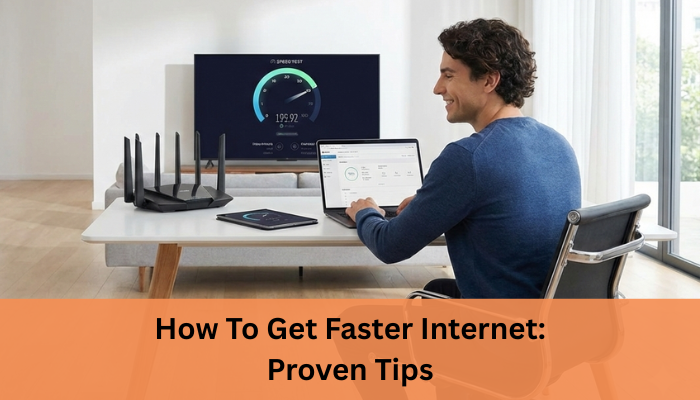
A slow internet connection can be frustrating, especially when work, entertainment, and daily communication depend on it.
Whether you are dealing with buffering videos, lag during online gaming, or dropped video calls, speed issues can disrupt your routine.
Understanding How To Get Faster Internet starts with identifying what affects your connection and applying the right fixes.
With a few smart adjustments, most households can significantly improve internet performance without unnecessary upgrades.
In many cases, slow internet is not caused by a single issue but a combination of factors working together.
Device limitations, background data usage, outdated networking equipment, and peak-time congestion can all reduce your effective speed.
By taking a structured approach to troubleshooting and making gradual improvements, you can regain control over your connection and enjoy a faster, more reliable online experience throughout the day.

Why Your Internet Feels Slow
Internet Speed vs WiFi Speed
Many users believe their ISP is always responsible for slow speeds, but that is not always the
case. Internet speed refers to the bandwidth delivered to your home, while WiFi speed depends on router performance, signal strength, and interference. Even with a fast plan, poor WiFi coverage can make your connection feel slow.
Common Reasons for Slow Internet
Several factors can impact your connection quality. Network congestion during peak hours can reduce available bandwidth. Outdated routers or modems may not support modern internet speeds. Too many connected devices can overload the network. ISP limitations or internet throttling may affect performance, and poor WiFi coverage can cause weak signals in certain areas of your home.
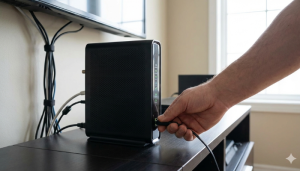
How To Get Faster Internet with Quick Fixes
Improving internet speed often starts with simple actions that many users overlook. Learning
How To Get Faster Internet does not always require changing your plan immediately.
Restart Your Router and Modem
Restarting your router and modem clears temporary glitches and refreshes network connections. This simple step can resolve minor speed and connectivity issues within minutes.
Place Your Router for Best Signal
Router placement plays a major role in WiFi performance. Place it in a central, elevated location away from thick walls and electronic interference. Proper placement improves coverage and helps distribute bandwidth evenly across your home. Keeping the router away from metal objects, microwaves, and cordless phones helps reduce signal interference. Positioning the antennas correctly and avoiding closed cabinets can further enhance signal strength. These small placement adjustments can lead to noticeable improvements in WiFi speed and overall network stability.
Secure Your Network from Unauthorized Users
An unsecured network allows unknown users to consume your bandwidth. Use strong passwords and updated security settings to prevent unauthorized access and reduce unnecessary load on your connection. Regularly changing your WiFi password and enabling modern security protocols adds an extra layer of protection. You can also check your router dashboard to see all connected devices and remove any that look unfamiliar. Securing your network not only improves speed but also protects your personal data and online activity.
Update Router Firmware and Settings
Firmware updates improve router performance, security, and stability. Regular updates ensure your router operates efficiently and supports higher speeds when available. They also fix known bugs and compatibility issues that may slow down your connection over time. Many modern routers allow automatic firmware updates, making maintenance easier for users. Keeping firmware up to date helps your network handle multiple devices smoothly and maintain consistent performance.
If your WiFi coverage or router capability is holding back your speeds, this guide on the best router for home can help you choose the right equipment.
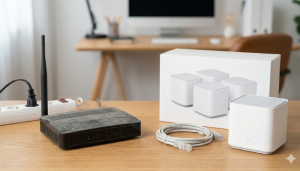
Upgrade Your Setup for Faster Internet
Sometimes, no matter how many quick fixes you try, your internet speed won’t improve unless you upgrade your equipment. If you’ve optimized placement, secured your network, and restarted your router but still face slow performance, your hardware might be the real limitation. Learning How To Get Faster Internet often means making smart upgrades that support modern speed requirements and multiple connected devices.
Switch to a Dual-Band or WiFi 6 Router
Older routers may not handle today’s bandwidth demands efficiently. Upgrading to a dual-band or WiFi 6 router can significantly improve performance.
- Dual-band routers allow you to switch between 2.4 GHz (better range) and 5 GHz (faster speed).
- WiFi 6 routers handle multiple devices more efficiently and reduce network congestion.
- They offer better speed distribution in homes with smart TVs, laptops, phones, and IoT devices.
If your router is more than 4–5 years old, upgrading can immediately improve speed stability and coverage.
Use Ethernet Instead of WiFi
While WiFi is convenient, wired connections are usually faster and more stable. Connecting important devices directly to the router using an Ethernet cable can:
- Reduce latency and ping
- Improve download and upload consistency
- Eliminate signal interference
For gaming consoles, work computers, or streaming devices, Ethernet connections often provide noticeable performance improvements.
Upgrade Old Modems and Cables
Your modem and network cables also affect speed. Outdated modems may not support higher broadband plans, limiting your maximum performance. Similarly, older Ethernet cables may restrict data transfer speeds.
Upgrading to a modem compatible with your current internet plan and using high-quality cables ensures you’re not bottlenecking your connection. Sometimes, small hardware upgrades make a bigger difference than changing your entire internet plan.
Before upgrading your plan or equipment, it’s useful to know how to calculate internet speed so you can match your needs with the right expectations.

Optimize Internet Speed for Multiple Devices
Modern homes are filled with connected devices smartphones, laptops, smart TVs, gaming consoles, CCTV systems, and IoT gadgets. Even if you have a high-speed plan, multiple devices competing for bandwidth can slow things down. Understanding How To Get Faster Internet also means managing how your network distributes speed across devices.
When too many devices are active at the same time, your available bandwidth gets divided. This can lead to buffering, lag, or slower downloads, especially during peak usage hours.
Limit Background Downloads and Updates
Background activities often consume bandwidth without you realizing it.
- Pause automatic software updates during work hours.
- Schedule large downloads overnight.
- Disable auto-sync for cloud backups when not required.
- Close streaming apps running in the background.
These small adjustments free up bandwidth for more important tasks like video calls, gaming, or streaming.
Use Quality of Service (QoS) Settings
Many modern routers offer a feature called Quality of Service (QoS). This allows you to prioritize certain devices or applications.
For example:
- Prioritize video calls for work-from-home users.
- Allocate higher bandwidth to gaming devices.
- Limit speed for less critical devices.
QoS ensures that essential activities receive stable speed even when multiple devices are connected.
Disconnect Unused Devices
Every connected device consumes some portion of your network resources, even when idle.
Regularly review your router’s device list and disconnect:
- Old smartphones or tablets
- Unused smart gadgets
- Guest devices no longer needed
Reducing unnecessary connections helps your network perform more efficiently and maintains smoother internet performance across your home.
Sometimes perceived slow internet isn’t about speed at all understand why your internet is slow and how to fix underlying issues.

Improve Internet Speed for Streaming, Gaming, and Work
Reduce Buffering on OTT and Smart TVs
Streaming platforms require stable download speed rather than just high Mbps. Limiting
background downloads, using wired connections where possible, and ensuring your router supports modern standards can reduce buffering and improve viewing quality. Choosing the right streaming quality based on your available bandwidth also helps maintain smooth playback. Connecting Smart TVs or streaming devices directly to the router with an Ethernet cable reduces signal loss and interruptions. These steps ensure a more consistent and enjoyable streaming experience, even during peak usage hours.
Lower Ping and Lag for Online Gaming
Gamers need low latency and stable connections. Reducing network congestion, connecting gaming devices via Ethernet, and minimizing background data usage can significantly lower ping and improve responsiveness. Using a gaming-focused router or enabling Quality of Service settings can prioritize gaming traffic on your network. Playing during off-peak hours may also help reduce latency caused by ISP congestion. These optimizations create a smoother and more competitive gaming experience with fewer lags and disconnections.
Stable Internet for Work From Home and Video Calls
Video calls and remote work rely heavily on upload speed and consistency. Using a wired connection, closing unused applications, and scheduling heavy downloads outside work hours help maintain smooth communication. Upgrading to a plan with better upload capacity can further improve call quality and reduce dropouts. Keeping your system and conferencing apps updated also ensures better compatibility and performance. These steps help maintain clear audio, sharp video, and uninterrupted collaboration throughout the workday.

When to Upgrade Your Internet Plan
Sometimes, no amount of troubleshooting can fix slow speeds if your current plan simply does not match your usage. If you’ve optimized your router, reduced background usage, and upgraded equipment but still face performance issues, it may be time to consider a higher bandwidth plan. Understanding How To Get Faster Internet also means knowing when your internet package is the limiting factor.
Check Your Current Speed vs Plan
Start by comparing your actual speed with the speed promised in your plan.
- Run a speed test during non-peak hours.
- Compare download and upload speeds with your subscribed Mbps.
- Test both wired and WiFi connections for accuracy.
If wired speeds match your plan but performance still feels slow, your bandwidth may not be sufficient for your household’s usage. If speeds are consistently lower than your plan, contact your ISP for clarification.
Fiber Internet vs Regular Broadband
Fiber internet offers significant advantages over traditional broadband connections.
- Higher download and upload speeds
- Lower latency and better stability
- Better performance during peak hours
If your area supports fiber connectivity, switching can dramatically improve streaming quality, gaming responsiveness, and remote work reliability.
Signs You Need Higher Bandwidth
You may need an upgrade if:
- Multiple users stream or attend video calls simultaneously
- 4K streaming frequently buffers
- Online gaming experiences high ping
- Smart home devices cause slowdowns
Choosing the right plan ensures your internet keeps up with your lifestyle instead of holding it back.
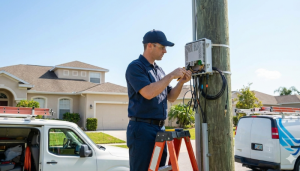
ISP Tips for Long-Term Faster Internet
Choose a Reliable Internet Service Provider
If your current ISP consistently fails to deliver promised speeds, switching to a more reliable
provider may be necessary. A dependable ISP ensures stable bandwidth, minimal downtime, and better customer support.
This is where Internet Express plays a key role by offering reliable broadband solutions designed for modern households. With consistent speeds and responsive service, users experience fewer disruptions and better overall performance.
Benefits of Fiber and Static IP Connections
Fiber internet connection provides higher bandwidth, lower latency, and better reliability compared to traditional connections. A static IP for stability can further improve performance for smart homes, CCTV systems, and remote access applications.
To ensure your connection issues aren’t caused by IP inconsistency or remote access problems, learn more about the benefit of static IP for stable and reliable performance.
Conclusion
Achieving better internet performance is a combination of the right speed, proper equipment, and smart usage habits. From quick fixes like restarting your router to long-term solutions such as choosing fiber connectivity, every step contributes to a smoother online experience.
Understanding How To Get Faster Internet helps you make informed decisions rather than relying on trial and error.
For users seeking dependable connectivity and professional support, Internet Express provides broadband solutions designed to deliver consistent performance for streaming, gaming, work, and smart home needs. With the right setup and a reliable ISP, faster and more stable internet is well within reach. We focus on delivering reliable speeds, low latency, and responsive customer support to meet modern home internet demands.