What Is FTTH? Fibre to the Home Internet Explained Simply
What is FTTH? Learn how fibre to the home internet works, its benefits over copper and 5G, how installation is done and how to get FTTH broadband in Pune.
When you look for a new broadband connection in Pune, almost every provider says "fibre". Some say FTTH, some say fibre broadband, and some say high-speed internet. But are they all the same? And does it really matter which one you choose?
It matters a lot. The type of connection decides how fast your internet is, how stable it stays in the evening, and how well it handles work calls, online classes, 4K streaming and gaming at the same time.
In this guide we answer what is FTTH in simple words. You will learn what FTTH means, how fibre optic cable internet works from the exchange to your living room, how it compares with copper broadband and 5G, what happens during installation, and what to check before choosing an FTTH provider in Pune and Pimpri-Chinchwad.
What Is FTTH? Meaning and Full Form
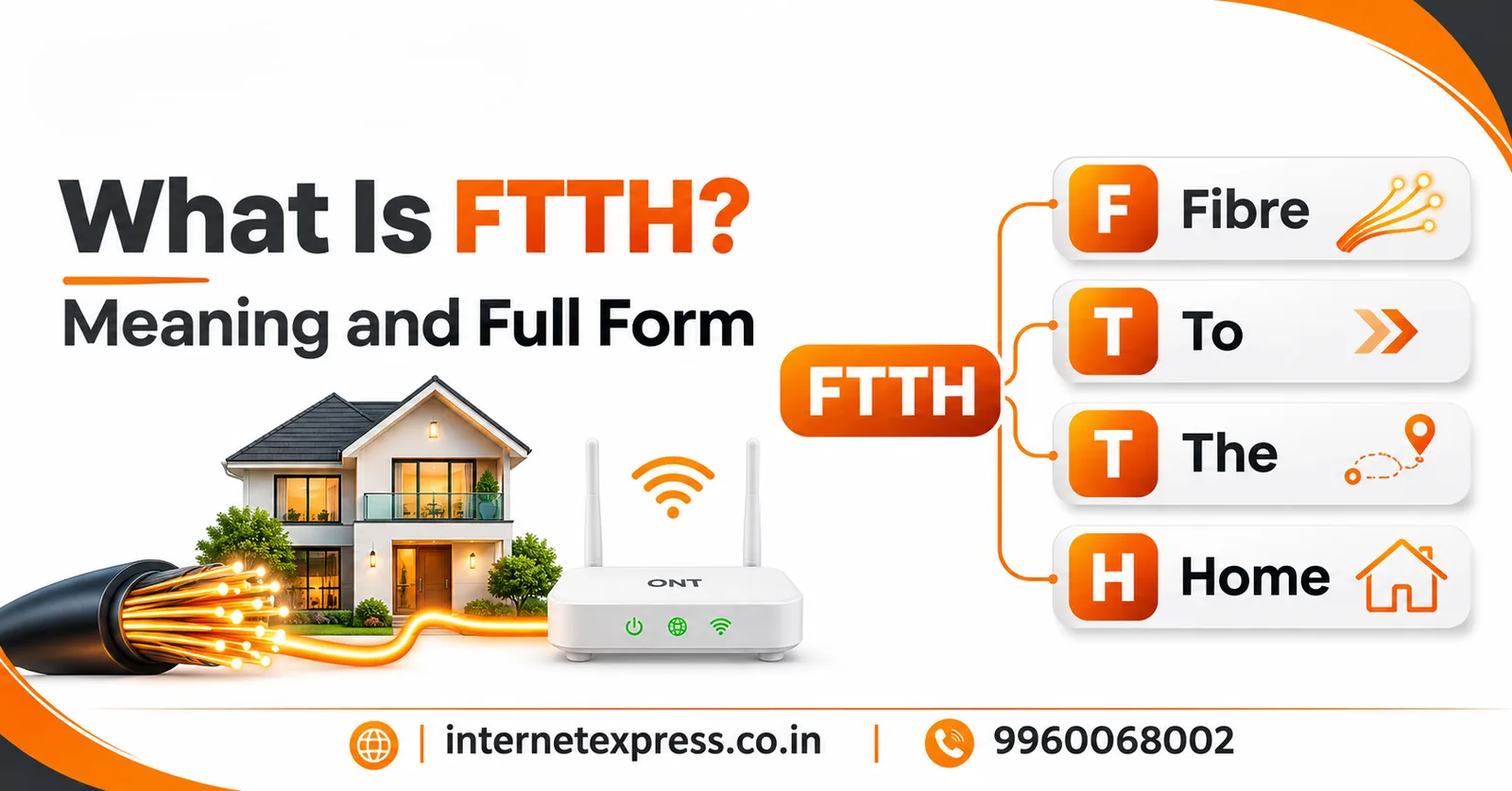
FTTH stands for Fibre to the Home. It means the optical fibre cable runs all the way from the internet provider's network into your home. There is no copper wire and no wireless link in between. The signal travels as light through thin strands of glass until it reaches a small fibre box in your flat.
You may also see FTTP (fibre to the premises), which covers homes and offices alike. In everyday use, FTTH and FTTP mean the same thing for a home user.
What is fibre internet?
Fibre internet is any connection that uses fibre optic cable to carry data as pulses of light. Light in glass can carry far more data, over much longer distances, than electricity in copper. That is why fibre is the backbone of the global internet, including undersea cables and national networks such as India's BharatNet project, run under the Department of Telecommunications.
FTTH vs other "fibre" connections (FTTx)
Not every connection sold as "fibre" brings fibre to your door. The general family is called FTTx:
| Type | Where the fibre stops | What carries the last part |
|---|---|---|
| FTTN (fibre to the node) | A street cabinet, often hundreds of metres away | Copper telephone wire |
| FTTC (fibre to the curb) | A cabinet close to your building | Copper or coaxial cable |
| FTTB (fibre to the building) | The building's basement or meter room | Ethernet (LAN) cable up to each flat |
| FTTH (fibre to the home) | Inside your home | Nothing else, fibre all the way |
The more copper there is in the last stretch, the more speed you lose and the more faults you can get. FTTH removes that weak link completely.
How Does FTTH Work? From the Network to Your Living Room
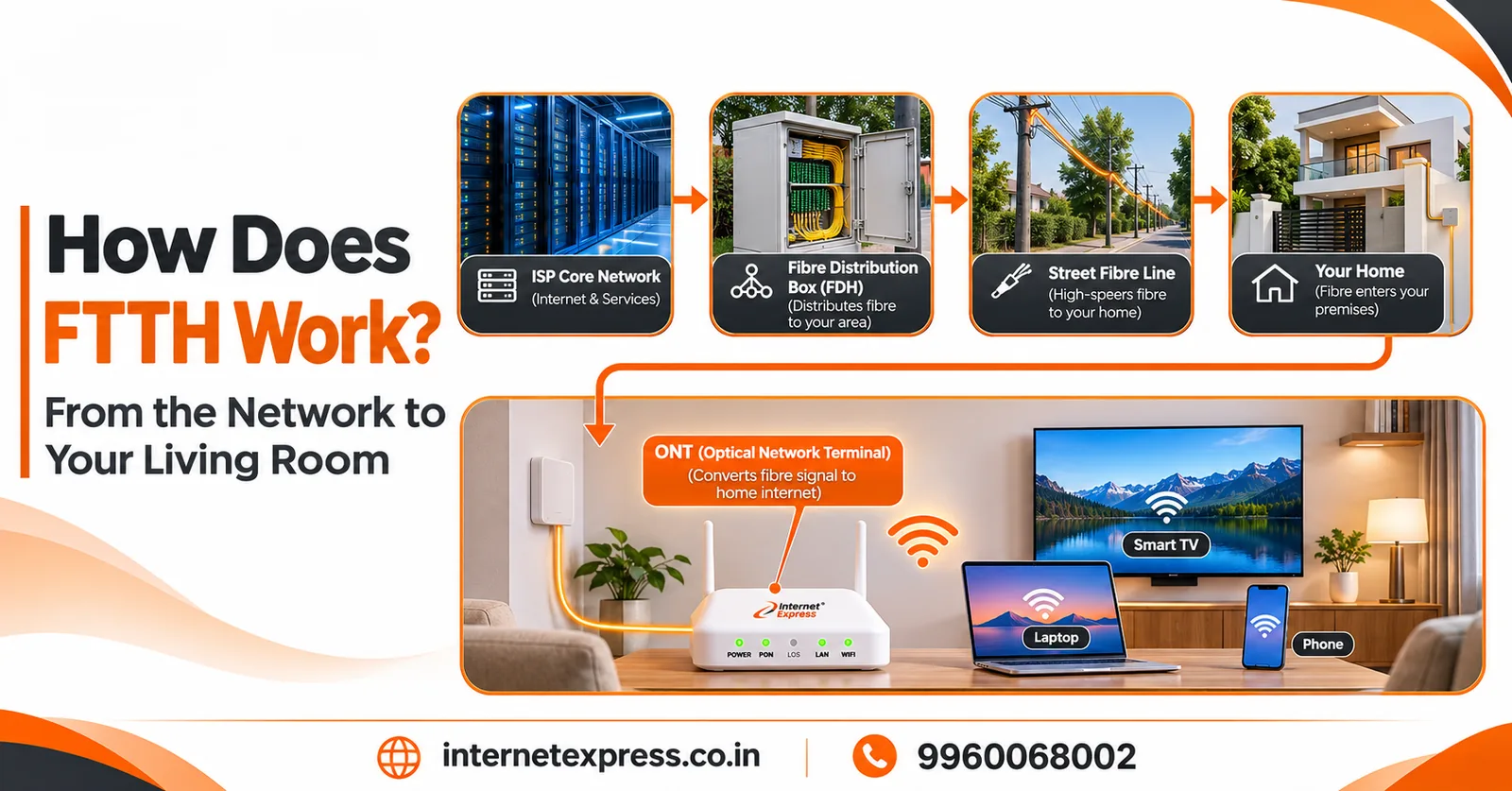
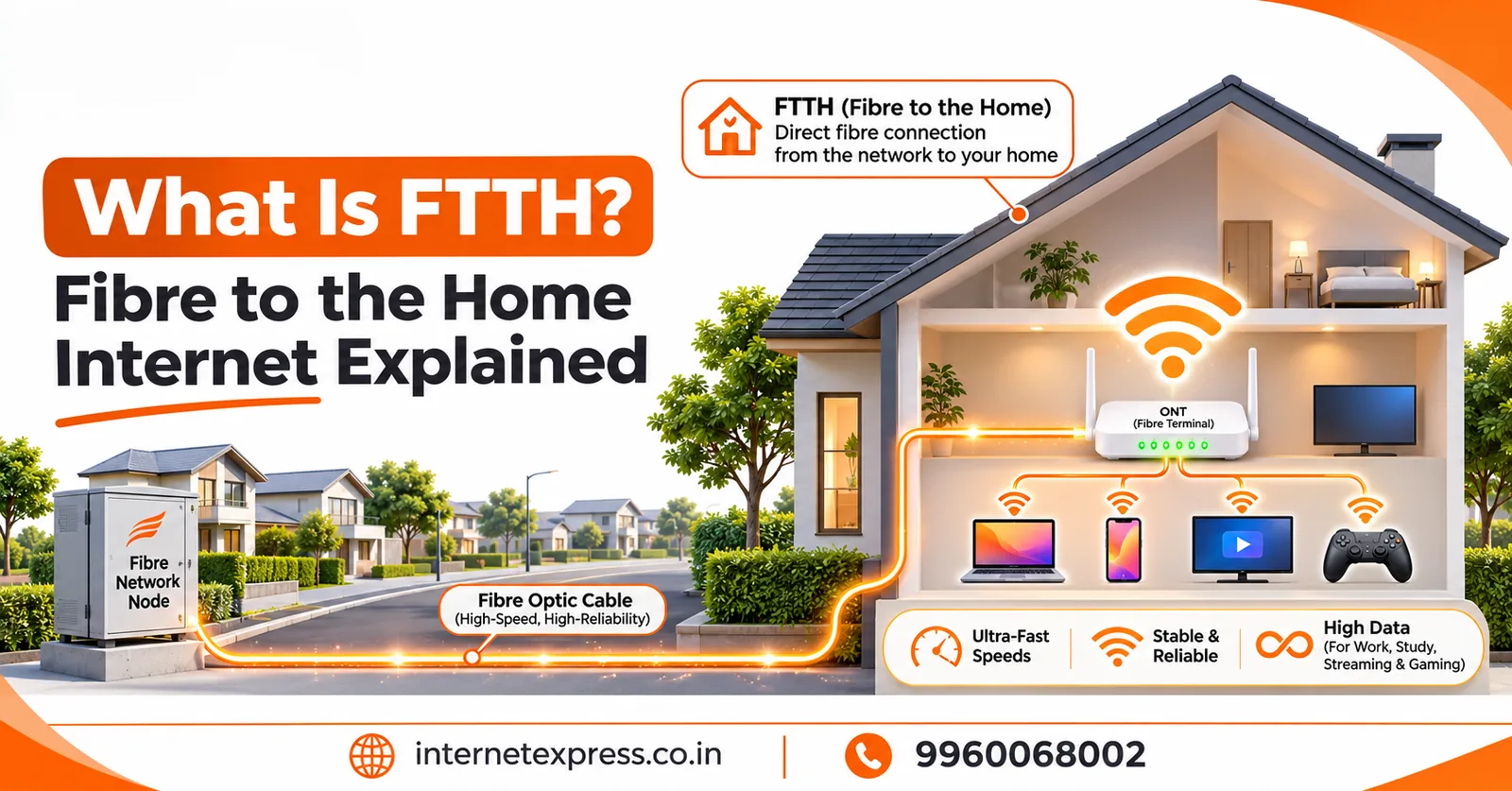
Once you know what is FTTH, the next question is how the light actually reaches your phone and laptop. A typical FTTH connection has five stages.
1. The core network
Internet traffic from websites, apps and streaming services reaches your provider's core network through upstream links and internet exchanges.
2. The OLT (optical line terminal)
At a local point of presence, the OLT converts network traffic into light signals and sends them out on fibre towards your area.
3. Splitters and distribution points
Passive splitters, which need no electricity, divide one fibre among a group of homes. Distribution boxes in your street or building then run a single fibre drop to each flat.
4. The ONT (fibre box) in your home
The optical network terminal, often called the fibre box or ONT, sits inside your home. It turns light back into a normal network signal.
5. Your WiFi router and devices
The router, often built into the ONT, creates your WiFi network so phones, laptops and smart TVs can connect. A dual-band router uses both 2.4 GHz and 5 GHz for better coverage and speed.
GPON and XGS-PON explained
The shared fibre part of the network is called a PON (passive optical network). Two standards are common:
GPON, defined by the ITU-T G.984 standard, offers up to about 2.5 Gbps downstream and 1.25 Gbps upstream per shared fibre. It is the most widely used generation today.
XGS-PON, defined by ITU-T G.9807.1, offers about 10 Gbps in both directions per fibre. It is the next step for faster, symmetrical home plans.
The Internet Express access network is built XGS-PON ready, so the newer generation can be introduced without re-cabling streets. Read more in our article on ring protection and XGS-PON, or explore our fibre network stage by stage.
Benefits of FTTH Fibre Internet
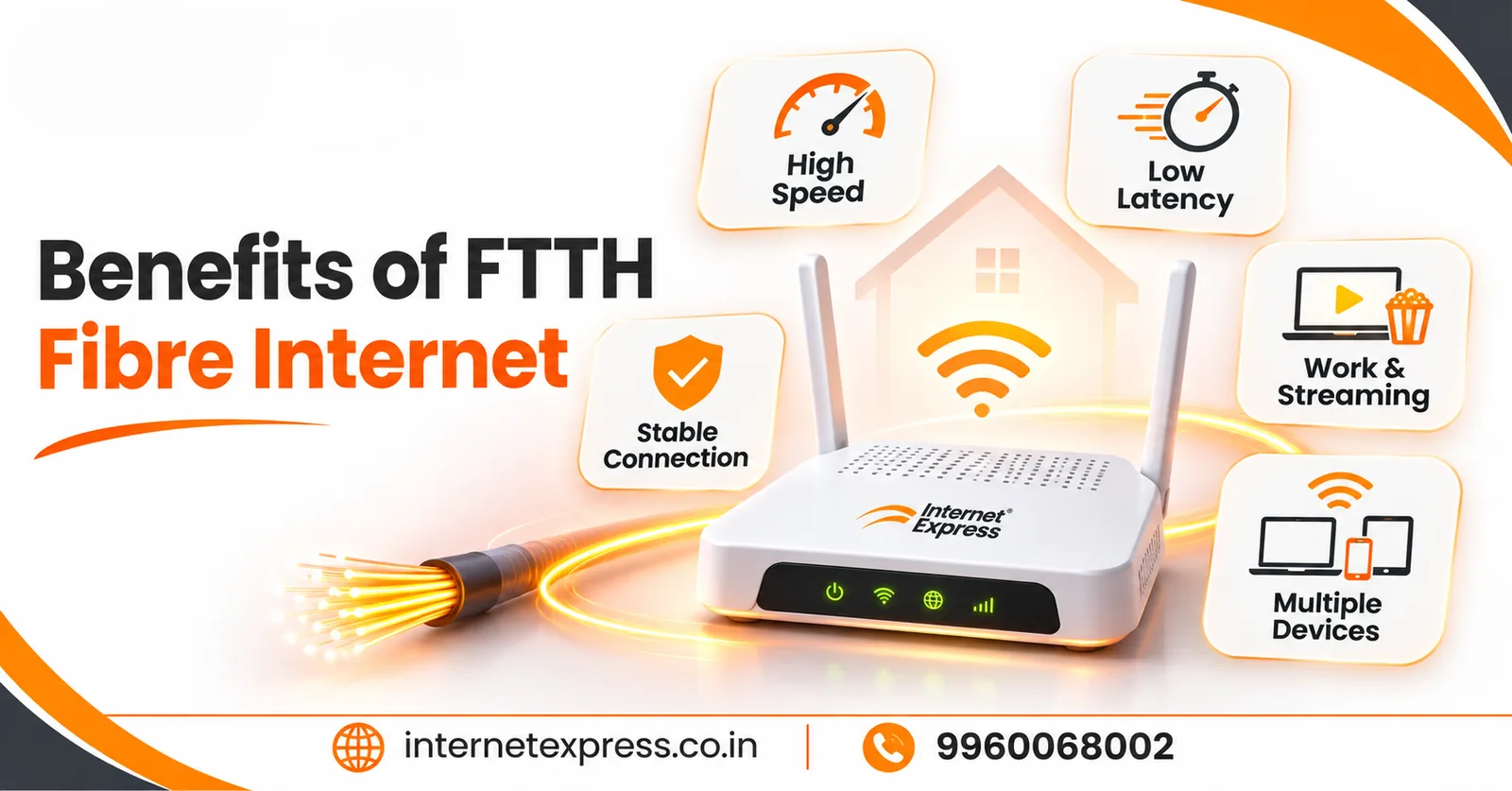
The simplest answer to what is FTTH good for: it gives you the fastest and most stable home internet available today. Here is why.
High speed with room to grow
Fibre already carries hundreds of Mbps to 1 Gbps home plans, and the same glass can carry much more in future with newer equipment. You upgrade the plan, not the cable.
Equal upload and download speed
Many fibre plans offer symmetrical speed, so uploads are as fast as downloads. This matters for video calls, sending large files, cloud backup and posting videos. Our guide on upload speed for work from home explains why.
Low latency for gaming and calls
Light in fibre faces very little delay or interference, so online games and video calls feel more responsive.
Stable speed at peak hours
Fibre is not shared over the air like mobile data, and it is not affected by rain, distance or electrical noise the way copper is. Speed stays steady at 9 pm, when everyone is online.
Handles many devices at once
A family with phones, laptops, a smart TV and CCTV can use them all together without the connection slowing to a crawl.
FTTH vs Copper Broadband vs 5G
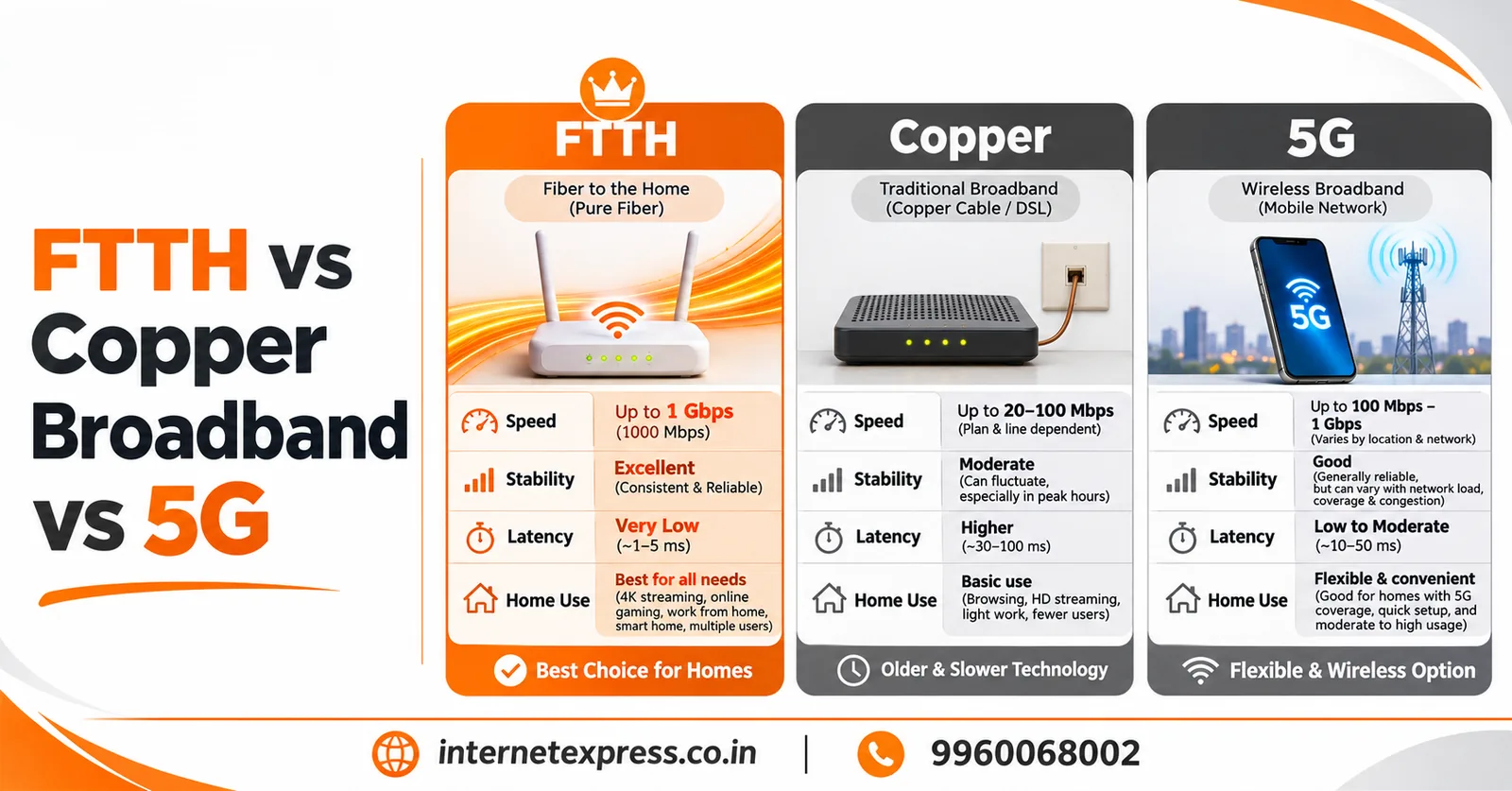
| Feature | Copper broadband (DSL or LAN cable) | 5G mobile or 5G home wireless | FTTH fibre |
|---|---|---|---|
| Typical speed | Low to moderate, drops with distance | High, but varies with signal and tower load | High and consistent |
| Upload speed | Low | Moderate | Equal to download on many plans |
| Stability at peak time | Can drop | Can drop when many users share a tower | Steady |
| Affected by weather or walls | Yes, by moisture and electrical noise | Yes, walls weaken the signal indoors | No |
| Latency | Moderate | Low | Lowest and most consistent |
| Future upgrades | Limited | Depends on the operator's network | Same fibre supports faster plans |
Global bodies such as FTTH Council Europe promote fibre to the home as the long-term standard for home connectivity, and India's broadband policy, regulated by TRAI, is pushing fixed fibre deeper into cities and villages.
How FTTH Is Installed at Home
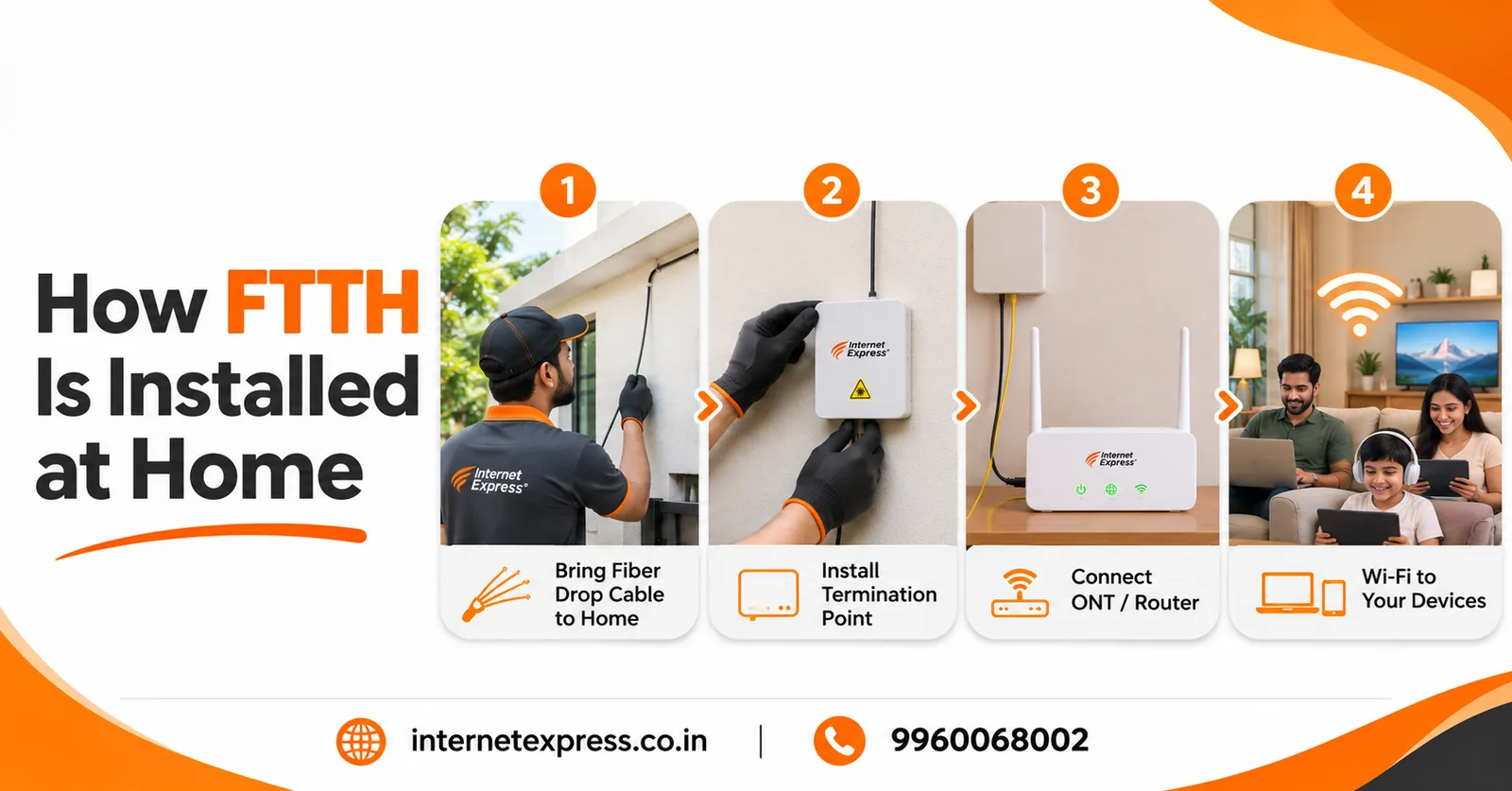
Getting FTTH is simpler than most people expect. Here is what usually happens.
Step 1: Feasibility check
The provider checks whether there is a fibre route from the nearest distribution point to your building, and from the building entry to your flat. Many housing societies need written permission from the committee before cabling in common areas.
Step 2: The fibre drop
A single thin fibre cable runs from the building's distribution point, usually along the riser or corridor, into your flat.
Step 3: The fibre box (ONT)
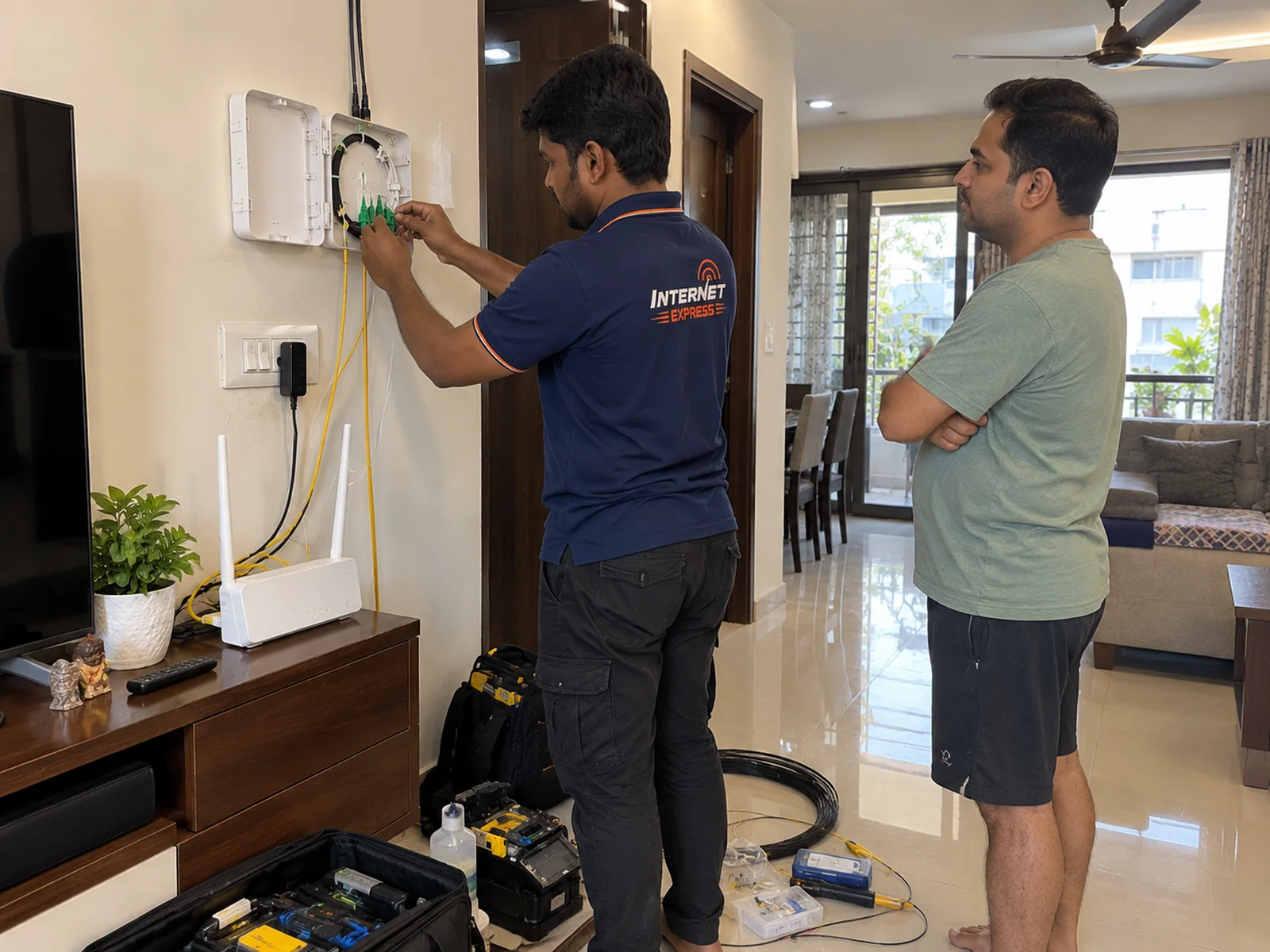
The engineer joins and terminates the fibre at the ONT. Once it is fixed, do not move or open it. The connector inside carries laser light and is easily damaged by dust or a tight bend.
Step 4: Router setup and testing
The router is connected and your WiFi name and password are set. The engineer then tests the line, ideally on a laptop with a cable, which measures the connection itself rather than WiFi.
Tips for installation day
Choose a central spot for the router, not a corner cupboard.
Keep the fibre cable away from doors and furniture where it can be pinched or bent.
Ask for the WiFi password to be something you will remember, and note it down.
For the full step-by-step, read our guide to broadband installation at home. For confirmed, ready-to-connect addresses, Internet Express aims to complete installation within 4 hours.
How to Choose the Right FTTH Provider in Pune
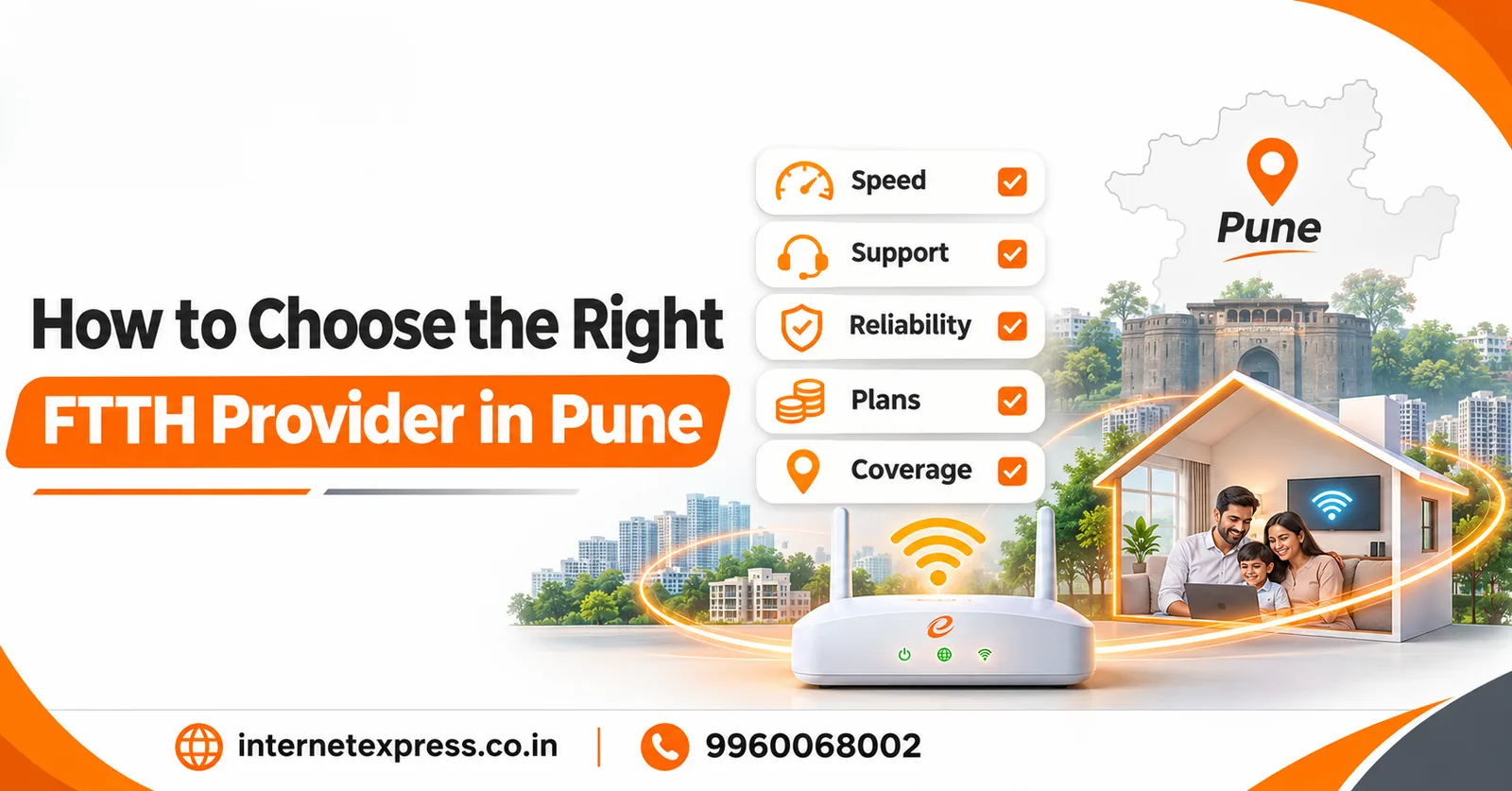
India has several large fibre internet providers and many strong local ones. The best choice is the provider with a reliable fibre network in your area and fast local support. Check these points before you sign up.
Is it true FTTH?
Ask whether the fibre comes right into your flat, or stops in the building and continues on a LAN cable. True FTTH gives better speed and fewer faults.
Upload speed and data limits
Check whether upload matches download, and whether there is a data cap or fair-usage limit. For work from home and families, symmetrical speed and no data limit make a big difference.
Router included
A good dual-band router, supporting both 2.4 GHz and 5 GHz, should be part of the plan. An old single-band router can waste much of your fibre speed.
Local network and support
A provider with its own fibre in your locality, a 24x7 network operations centre and engineers nearby can fix faults faster. Ask how fibre cuts are handled and how quickly repairs are done.
Why Internet Express FTTH
100% fibre from the core network to your home
240+ km of our own fibre across Pune and Pimpri-Chinchwad
24x7 network monitoring by our NOC
Equal upload and download speed, no data limit and a dual-band router included on our fibre plans
Local teams across 13 neighbourhoods including Moshi, Chikhali, Bhosari, Dighi, Charholi and Chinchwad
Not sure if your society is connected? Check availability for your exact building.
Frequently Asked Questions
1. What is FTTH full form?
FTTH stands for Fibre to the Home. It means the internet connection reaches your home on optical fibre all the way, without copper wire in the last stretch.
2. Is FTTH better than normal broadband?
Yes. Copper and LAN-based broadband lose speed over distance and are affected by electrical noise. FTTH gives higher, more stable speed, lower latency and often equal upload and download.
3. Is FTTH better than 5G for home use?
For most homes, yes. 5G is fast but shared over the air, so speed changes with walls, distance and tower load. FTTH gives steady speed in every room through WiFi, with no daily data limit on many plans.
4. Does FTTH work during a power cut?
The fibre itself needs no power, but the ONT and router at home do. A small UPS or inverter for the router keeps your internet running during short power cuts.
5. Can a fibre cable break?
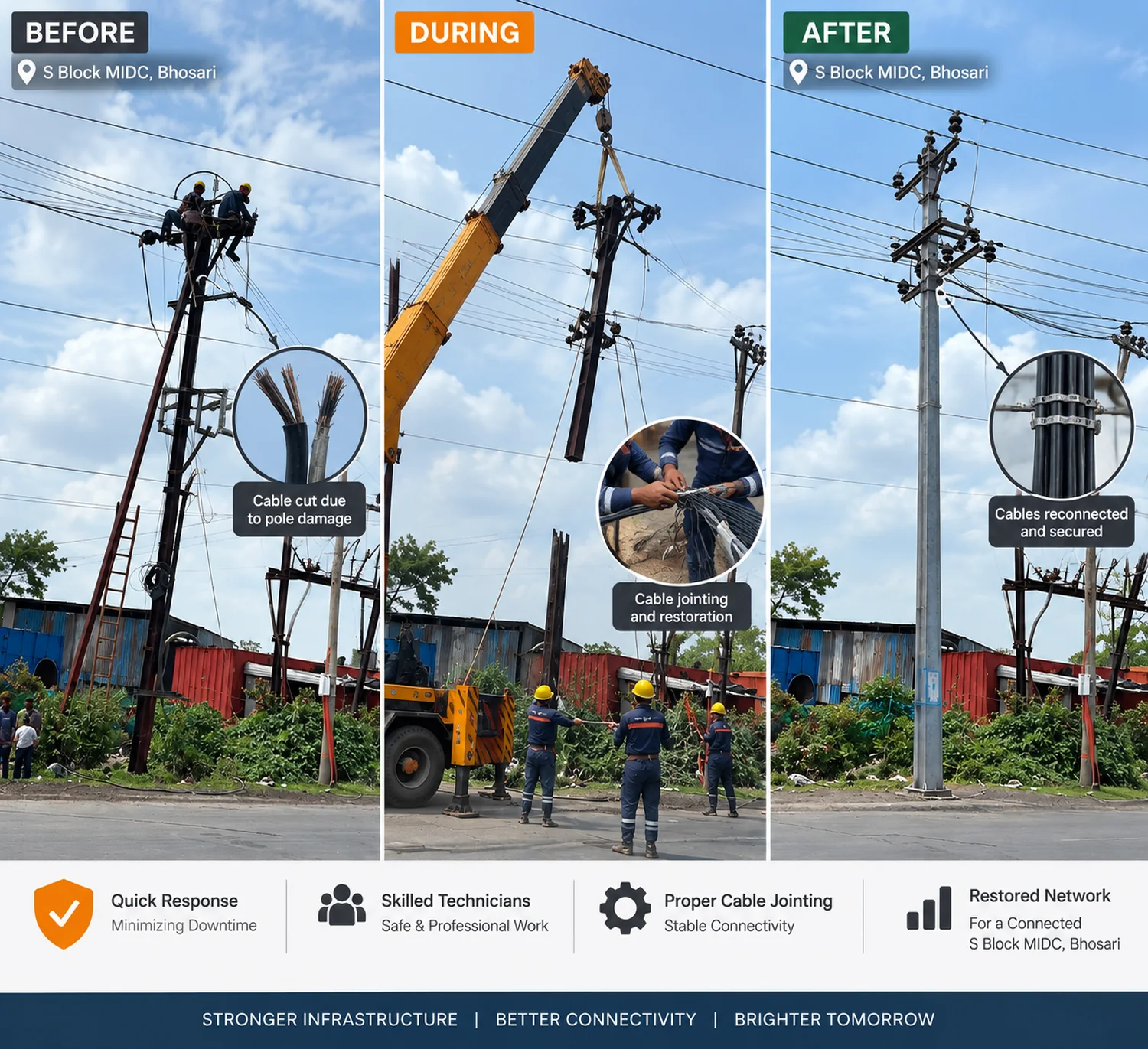
Fibre can be cut by digging, pole work or vehicles. Providers with ring-protected routes and a 24x7 NOC can reroute traffic or repair faster. Inside the home, avoid bending or pinching the fibre cable.
6. How long does FTTH installation take?
If the building already has fibre and permissions are in place, installation usually takes a few hours on the day.
Conclusion
So, what is FTTH in one line? It is internet delivered on optical fibre all the way into your home, with no copper or wireless link in between. That gives you high speed, equal upload and download on many plans, low latency, and steady performance at peak hours.
If you are choosing a new connection or upgrading an old one, FTTH is the best long-term choice for work, study, streaming and gaming.
Living in Pune or Pimpri-Chinchwad? Explore Internet Express fibre plans or WhatsApp us on 99600 68002 to get 100% fibre internet installed at your home.