
Why Your Speed Test Says One Thing and Your Wi-Fi Says Another
559 Mbps on the laptop, 106 on the phone, same house, same second — and nothing is broken. What a speed test actually measures, and the ninety-second check that tells you whether it is your line or your Wi-Fi.
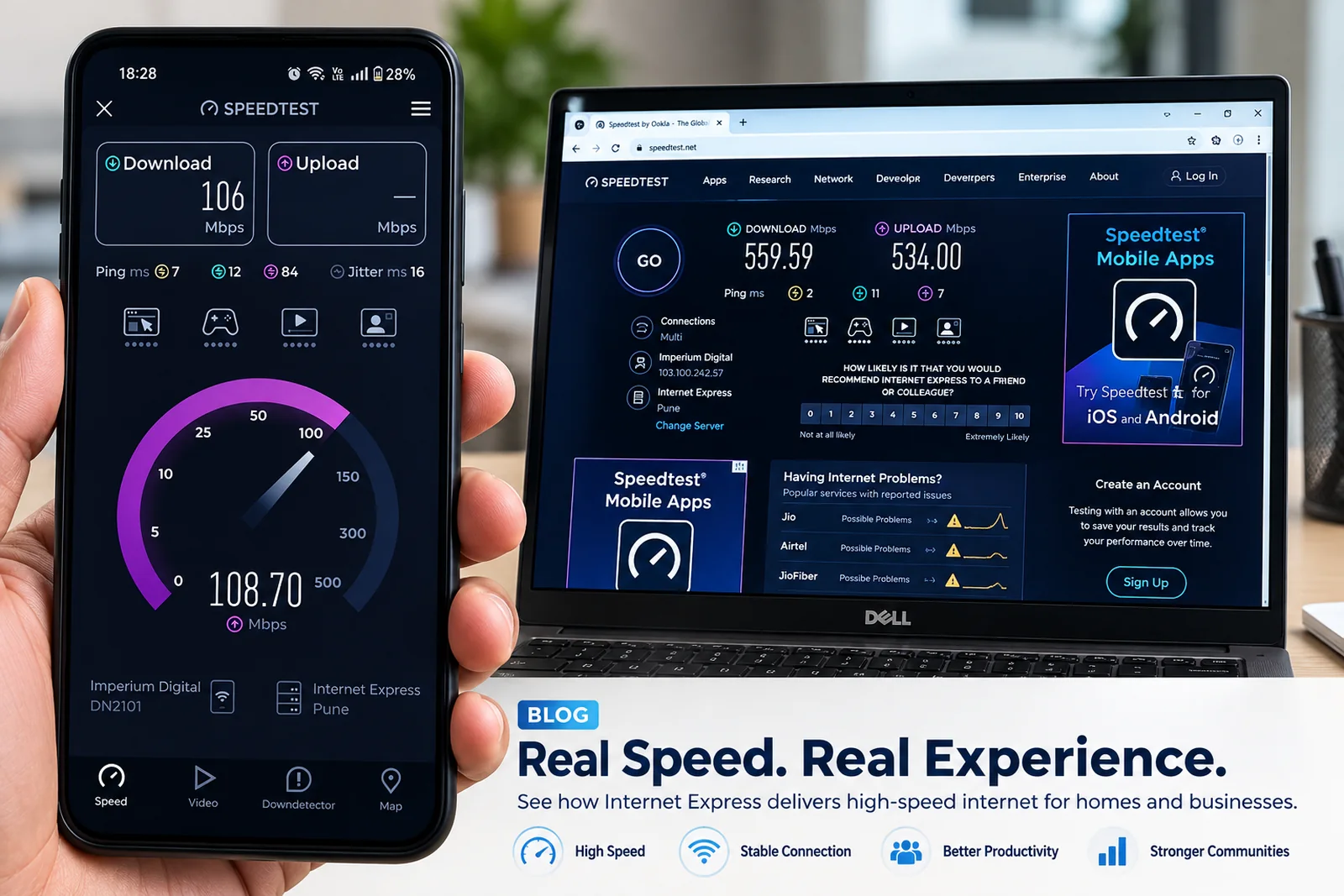
In the photo above, a laptop connected by cable shows 559 Mbps download and 534 Mbps upload. A phone beside it, on Wi-Fi, shows 106 Mbps. Same house, same connection, same moment. Nothing is broken. The two numbers are measuring different things, and knowing the difference saves a lot of frustration — and sometimes an unnecessary plan upgrade.
What a speed test actually measures
A speed test measures the slowest link between your device and the test server. Your fibre line is only one of those links. The others are:
- Wi-Fi between your device and the router — usually the slowest part in a home.
- The device itself — its Wi-Fi chip, processor and even the browser.
- The test server — how far away it is and how busy it is.
So a Wi-Fi test on a phone in the bedroom is really a test of the bedroom's Wi-Fi, not of your broadband line.
Why Wi-Fi is usually the bottleneck
Wi-Fi is radio. It weakens with distance and with every wall it passes through; reinforced concrete and lift shafts are especially hard on it. It shares the air with every neighbour's network, which matters a lot in apartment towers. Phones also tend to have smaller antennas than laptops. None of that has anything to do with the fibre coming into your flat.
The two Wi-Fi bands behave differently too. 5 GHz is fast but short-range; 2.4 GHz travels further but is slower and more crowded. A phone that joined the 2.4 GHz band in the far room may stay on it even when you carry it next to the router.
The ninety-second check
- Plug a laptop into the router with a network cable. Turn its Wi-Fi off so it cannot cheat.
- Close other apps and pause downloads on other devices for a minute.
- Run a speed test in a browser.
If the wired result is close to your plan speed, your line is healthy and any slowness you feel elsewhere is Wi-Fi. If the wired result is well below your plan, repeat it once, then report it with a screenshot — that is exactly the evidence our team needs.
If the problem is Wi-Fi
- Move the router to a central, open, reasonably high spot. See the router placement guide.
- Use 5 GHz for devices in the same or next room, 2.4 GHz for far rooms and small smart devices.
- Wire the devices that never move — a TV, a desktop, a console.
- For large or long homes, add a second access point or mesh rather than a stronger plan.
When upgrading the plan does not help
If your wired result already matches your plan and the Wi-Fi is weak, a faster plan will not fix the bedroom. The line was never the limit. A faster plan helps when many people use the connection at once, or when wired and 5 GHz devices near the router are already using the full speed.
Upload matters too
Notice the upload figure in the photo: 534 Mbps, almost the same as download. Our home fibre plans have equal upload and download speeds, which is what makes video calls, cloud backups and sending large files feel quick. Many speed complaints on other connections are really upload complaints in disguise.
Still unsure whether it is the line or the Wi-Fi? Run the wired test, send us the screenshot on WhatsApp, and our team will tell you which side the problem is on.